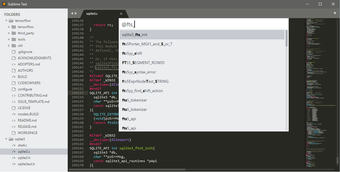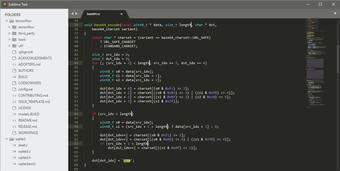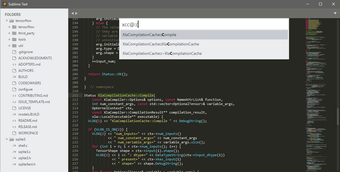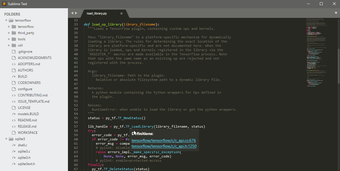
A fast and versatile code editor
Sublime Text is a programming language app that functions as a powerful and lightweight text editor favored by programmers and writers alike. Known for its speed, sleek interface, and extensive customization options, it has remained a top choice for developers who need an efficient and reliable tool.
Top Recommended Alternative

Sublime Text stands out due to its lightning-fast performance and a wide range of plugins that enhance functionality. With features like multiple selections, a command palette, and a distraction-free mode, it caters to both beginners and professionals. While it offers a free evaluation period, purchasing a license unlocks the app’s full potential.
A powerful and lightweight coding companion
Sublime Text’s performance is one of its greatest strengths, setting itself apart from other coding apps. Unlike bulky IDEs, it launches instantly and handles large files with ease, making it ideal for high-performance coding. The editor supports various programming languages and syntax highlighting, ensuring a smooth experience across multiple development environments. Additionally, its split editing feature allows users to work on multiple files simultaneously.
Additionally, customization is another key advantage of the app. Users can tweak settings, themes, and key bindings to suit their workflow. The Package Control system further extends its capabilities, offering thousands of plugins for added functionality. Whether you need Git integration, debugging tools, or snippets for faster coding, this app can be tailored to meet your needs whatever it is.
However, this coding app has a few drawbacks too. Unlike some free open-source alternatives, it requires a paid license for continued use. Also, while it is highly customizable, users may need to invest time in configuring it to match their preferences. Despite these minor setbacks, its speed, efficiency, and flexibility make it a compelling choice for developers, programmers, and writers.
A must-try for efficient coding
Sublime Text is an excellent choice for anyone looking for a fast, flexible, and customizable text editor. Its powerful features, intuitive interface, and extensive plugin support make it a valuable tool for developers of all skill levels. While its required paid license may deter some users, its productivity-boosting capabilities justify the investment. If you seek a high-performance editor, this coding app is worth considering.